 MCPE-7880
Hotbar size decreases when on split controls
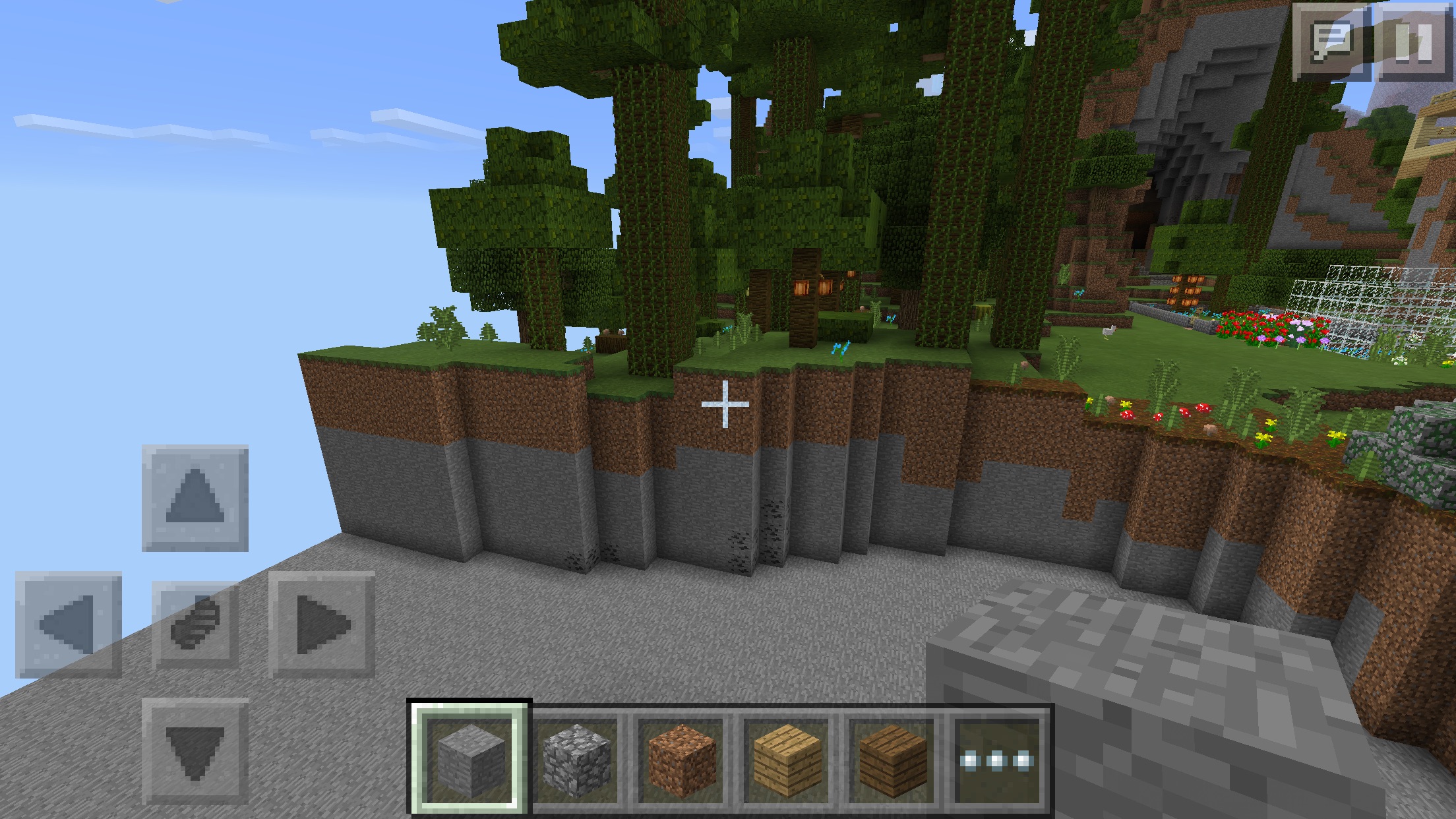
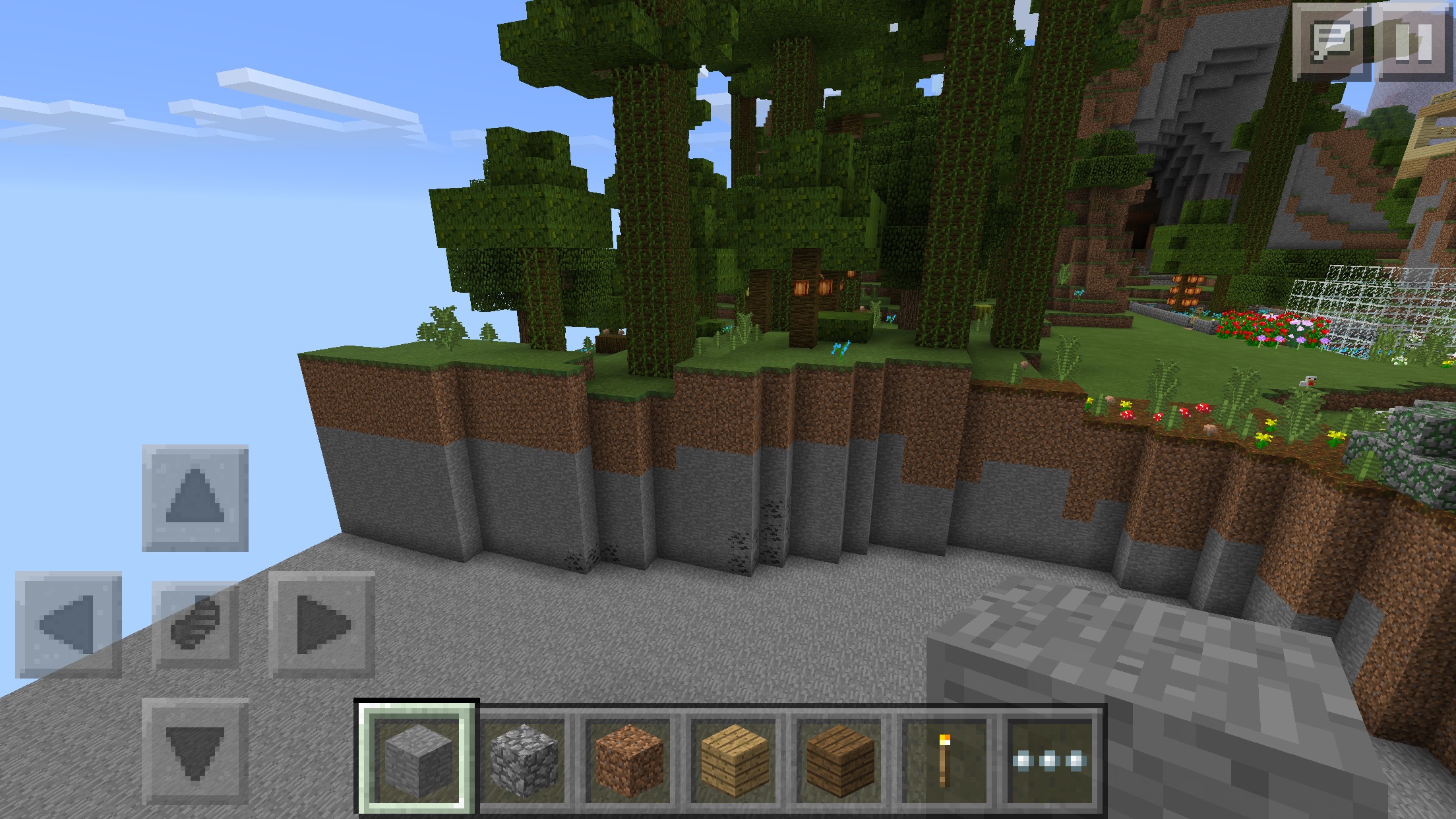
Whilst using split touch controls, you are limited to 5 hotbar slots. While this may be intended, the app must first be force-quit and reopened for this to occur.
Linked Issues
duplicates7
MCPE-1186When open split touch controls split touch controls remove 1 item slotDuplicateMCPE-2258Hotbar Is Smaller On Split Touch Controls Playing on a TabletCannot ReproduceMCPE-4274Hotbar does not add more slots even when D-Pad size is in the smallest size possible.DuplicateMCPE-4851Hot bar doesn't expand while using split touch controls.DuplicateMCPE-5410GUI BUG-HOTBARCannot ReproduceMCPE-6344On tablet, if splitting touch controls, I only get 5 item spaces instead of 7 if not splittingDuplicateMCPE-6649When you put your d-pad size down with split touch con trols off your get six hotbar slots. But when you save and quit it goes back to 5 slots.Duplicateis duplicated by1
Attachments4
Comments20
History23
Added duplicates link: MCPE-1186When open split touch controls split touch controls remove 1 item slotDuplicate
Added duplicates link: MCPE-2258Hotbar Is Smaller On Split Touch Controls Playing on a TabletCannot Reproduce
Added duplicates link: MCPE-4851Hot bar doesn't expand while using split touch controls.Duplicate
Added duplicates link: MCPE-5410GUI BUG-HOTBARCannot Reproduce
Confirmation Status: Unconfirmed → Confirmed
Game Mode
Added Assignee:  Daniel Wustenhoff
Added affects versions: 0.11.0 Beta 5
Assignee: Daniel Wustenhoff → tommo
Added is duplicated by link: MCPE-8618Re-post of previous split controls hot bar glitchDuplicate
Changed description:
Wh
Wh
Added affects versions: 0.11.0 Beta 14 0.11.0 0.11.1
Resolution: Unresolved → Fixed
Added affects versions: 0.12.1 Pre-release

Confirmed for 0.10.4 on iPhone 6 plus (iOS 8.2). While this may be intended, for this effect to activate the app must be forced quit and reopened. Tested in creative mode.
This bug has been reported several times in many different releases. I've linked them all to this bug report since the bug is still occurring. Please put comments on this bug here, please do not create a new bug report for the same issue, that just slows us down.
The bug involves the number of available hotbar slots not changing properly between 5 and 6 depending on changes to the input method and the size of the D-pad. Sometimes it requires quiting and reloading the game for the hotbar slots to change or changing the input method several times to get the number of hotbar slots to change.
Another example (from
MCPE-6649):1. Go into a world.
2. Press the pause button.
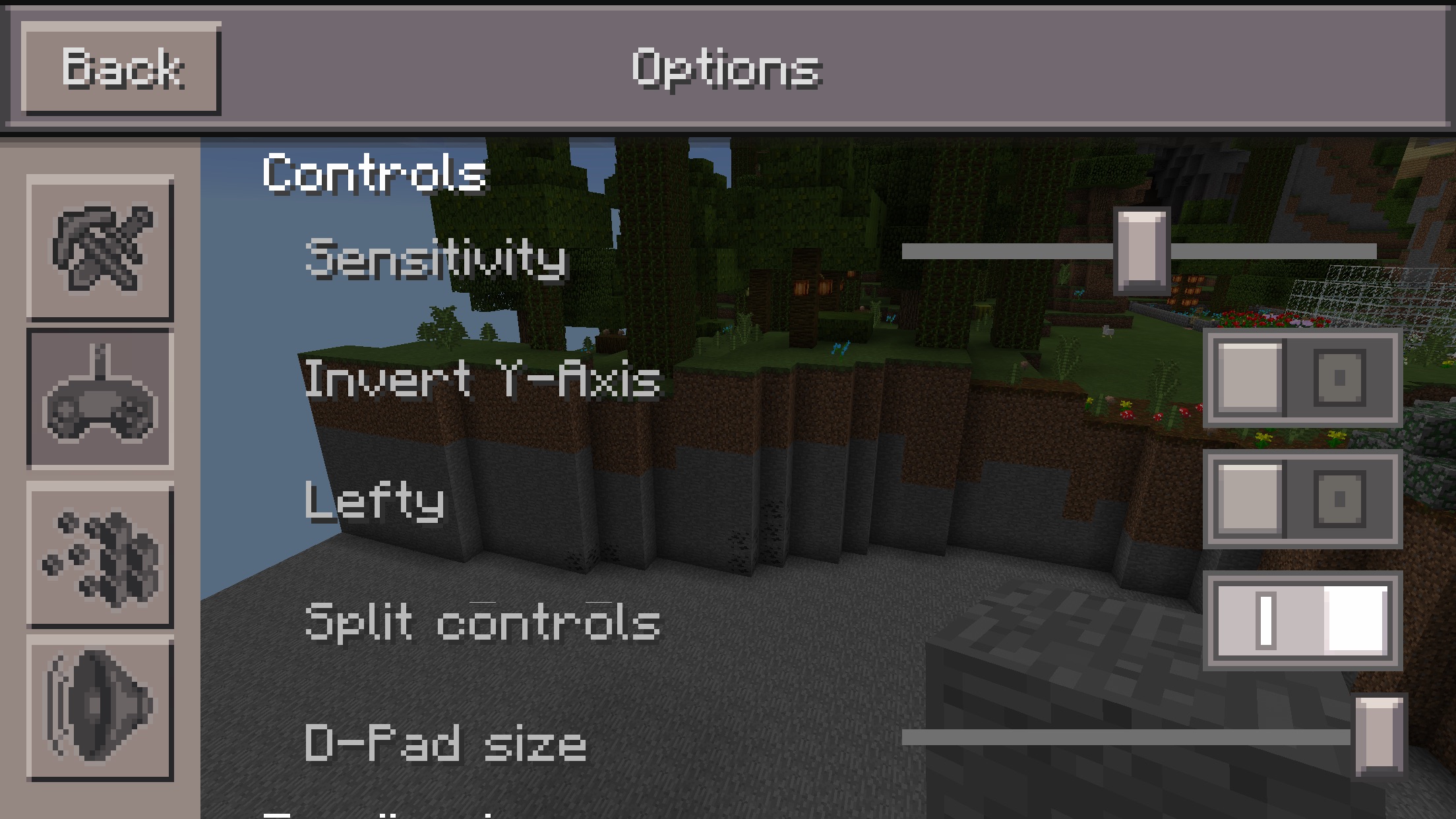
3. Go into the options menu.
4. Turn split touch off.
5. Make the d-pad as small as it goes.
6. Go back into the world.
7. You should have 6 slots.
8. Save and quit to title screen.
9. Double-tap home button and quit out of Minecraft Pocket Edition.
10. Go back into the same world.
11. You should have 5 slots again.
Confirmed on Samsung Galaxy Note 3. Android 4.4.2.
Mojang i want to report some bugs for mcpe 0.11.0 build 5 villages with blacksmiths catch on fire i guss because of lava and also a different bug is that dogs attack crepers and a different bug is when you have a spawn egg in creative the mob falls throw the ground and in mcpe 0.11.0 build 6 mojang you should add desert temples and nether and potions and new mobs these are just suggestings
Confirmed on kindle fire HDX 7
Confirmed on 0.11.0b1-14
The attached video is a temporary fix to the bug, created by me. My apologies for the obnoxiously loud music, I made this video for YouTube a little while ago and thought the music would make it less boring.
Thank you for the video! This is still a bug because it is temporary, like you said.
There is still an issue around this in 0.11.1 (after 1st "Secret Friday Update"); here's a report:
1. Go into game with split off and the default medium button size.
2. Open/create any world: you will have greater number of buttons (7 on my Samsung Galaxy Tab 2, 10.2").
3. From world, go into options and turn on split controls.
4. Exit options: number of hotbar buttons stays at the greater amount.
5. Do pretty much anythything that interrupts program:
a) exit game,
b) use taskbar to go to homepage,
c) switch to another application,
d) let device timeout and blank screen.
6. Rejoin game: number of buttons will be reduced (to 5 on my tablet).
7. Go back into options and turn off split controls.
8. Exit options: number of buttons stays at lesser number.
9. Do anything listed in step 5 and rejoin: number of buttons goes back up.
I can understand if it is a design decision to allocate more lower screen space for a second thumb with split controls on; however, there seems to be an issue with requiring a game interrupt before this change takes effect. Based on the comments (and jammin' attached video [grins]), I think it would be preferable to stick to the greater amount of buttons with or without split controls, which would be my preference as well. One can always move their second thumb up on the screen a little to avoid the hotbar, jmo.
That's why I don't want to turn on Split controls.
I thought this was intentional...
Maybe so, but it is supposed to decrease in proportion to the size of the d-pad, but it doesn't.
I don't know if this is intentional or not.
Most probably not intentional.
Confirmed on iPod 5 (iOS 8.3) running 0.11.1. A workaround is to change your controls out of split touch, restart, and change them back. This has to be repeated every restart/launch, however.
You should not force close it, thats why
He means to fix it. If you go to close the app after fixing this, it goes back to five slots the next time it is opened. You can temporarily fix this by going into the game options, turning off split controls, bringing your d-pad size all the way down, turning split controls back on, then adjusting the d-pad to your preferred size. This will add an additional two slots to your hot bar, for a total of seven hot bar slots. This is temporary, so until the glitch is fixed, this will have to be repeated almost every time you load up Minecraft.
I'm having this trouble too.But I really want to use split control because of my ipad's big screen.
try updating to 0.12.1b1
On May 28, 2015 7:23 AM, "[MCPE Mod] Illidicia (JIRA)" <bugs@mojang.com>
wrote:
> [MCPE Mod] Illidicia
> <https://bugs.mojang.com/secure/ViewProfile.jspa?name=Illidicia> updated
> an issue Minecraft Pocket Edition
> <https://bugs.mojang.com/browse/MCPE> / [image: Bug]
> <https://bugs.mojang.com/browse/MCPE-7880>
MCPE-7880> <https://bugs.mojang.com/browse/MCPE-7880> Hotbar size decreases when
> on split controls <https://bugs.mojang.com/browse/MCPE-7880> Change
> By: [MCPE Mod] Illidicia
> <https://bugs.mojang.com/secure/ViewProfile.jspa?name=Illidicia> When
> Whilst using split touch controls, you are limited to 5 hotbar spaces
> slots . This can While this may be fixed by turning split touch off
> intended , changing dpad size , the app must first be force-quit and
> turning split touch back on reopened for this to occur .
> (Happens on all devices) [image: Add Comment]
> <https://bugs.mojang.com/browse/MCPE-7880#add-comment> Add Comment
> <https://bugs.mojang.com/browse/MCPE-7880#add-comment> This
> message was sent by Atlassian JIRA (v6.1.6#6162-sha1:7af547c) [image:
> Atlassian logo]
>