 BDS-2620
Server status offline
I have a bedrock dedicated erver running on ubuntu 18.
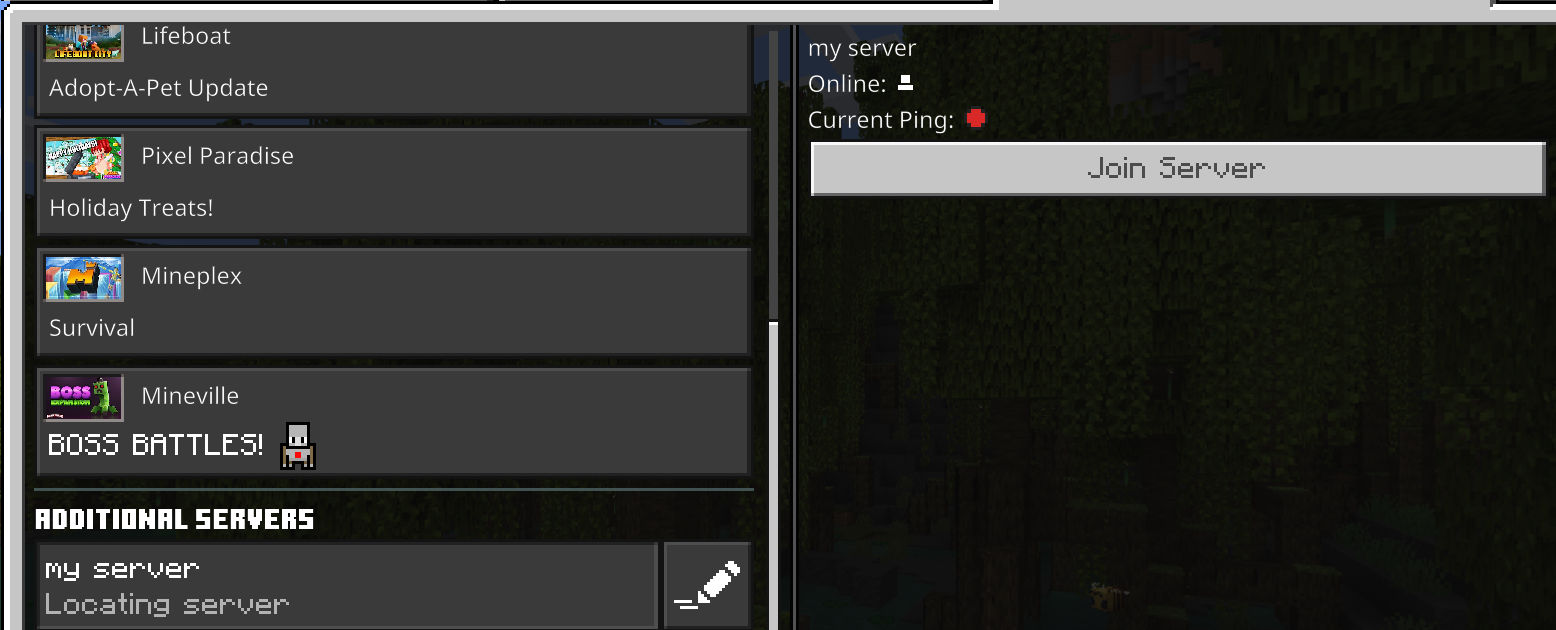
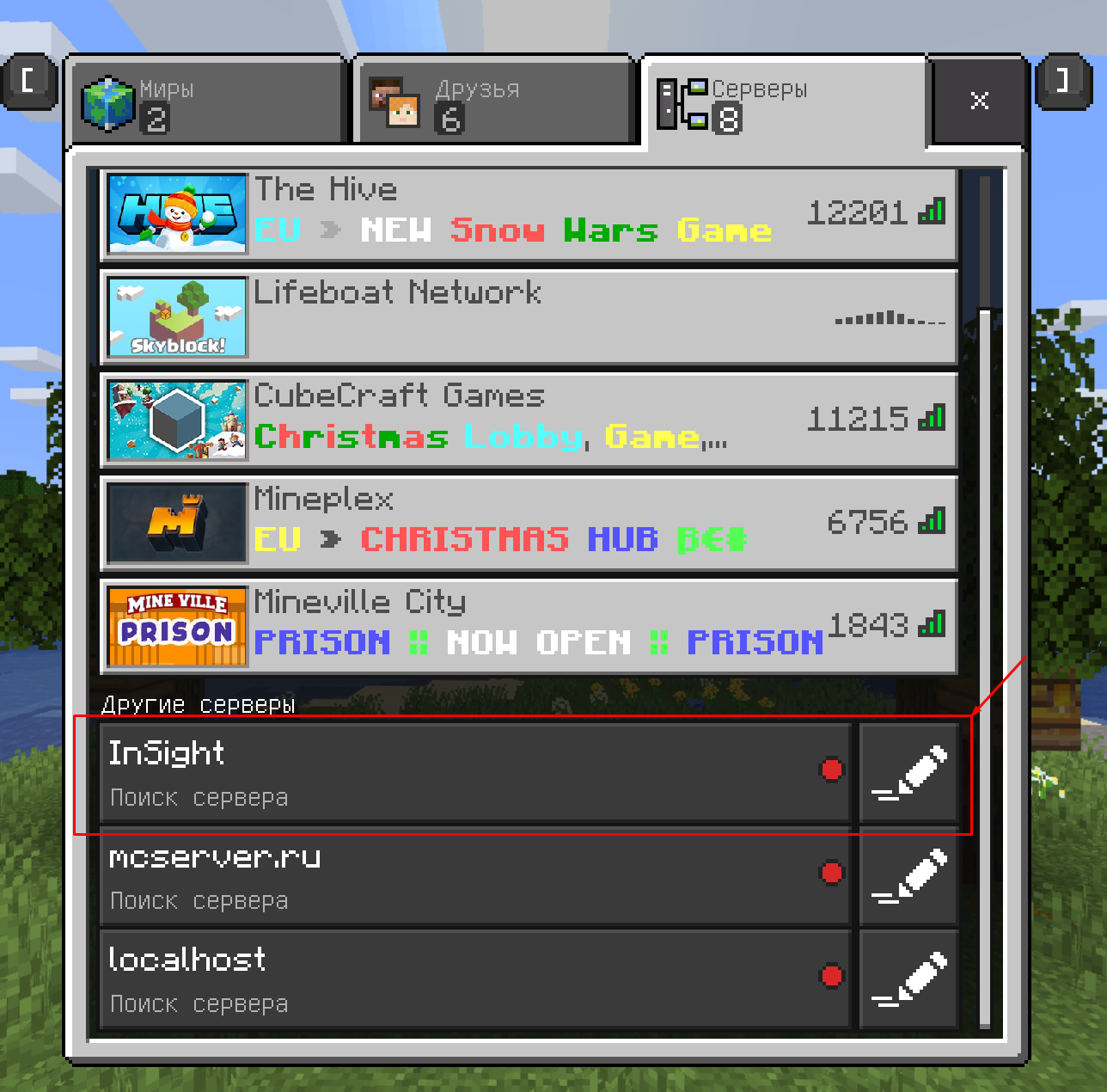
Problem is the server not showing it's online status. You still can connect and play but it's looks offline in the list.
There was no such problem not so long time ago but it seemed to appear after i downloaded the world to my local for adding a datapack and then reuploaded it to dedicated server.
Did not found such problem in any sources so this bugtracker is my last chanse to solve it.
Attachments3

Comments5
History5
Resolution: Unresolved → Invalid
 1.png
1.png
Hi Anatoly,
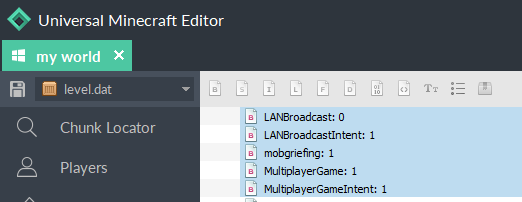
To resolve this, load the world in Singleplayer or using MCCToolchest and re-enable LAN Broadcast.
Ionic
@IonicEcho Manipulation with MCCToolchest helps. Also error described in https://bugs.mojang.com/browse/BDS-2772 doesn't show up when stopping the server with 'stop' command.
Thank you.
Thanks Anatoly! Great to hear its working for you now.
Just to confirm, are you saying
BDS-2772is no longer an issue for you after using MCCToolchest?BDS-2620is solved (this one). Need to watch for server uptime first to decide ifBDS-2772is solvedI don't believe the resolution should be labeled invalid. I am playing in 1.19.51 and recently discovered why my server appeared to be offline when it was actually on.
If the world NBT has "LANBroadcast" as 0, as shown in image "1.png", then the server always shows up as "locating server", red dot on the ping, and the amount of online players is invisible. in "2.png"
To resolve this issue on your world without an NBT editor, do the following:
1. Turn on "multiplayer game" and "visible to Lan players"
2. Open the world once and then save and quit
3. Move the world back to where it was