 BDS-12277
Command blocks won't switch modes
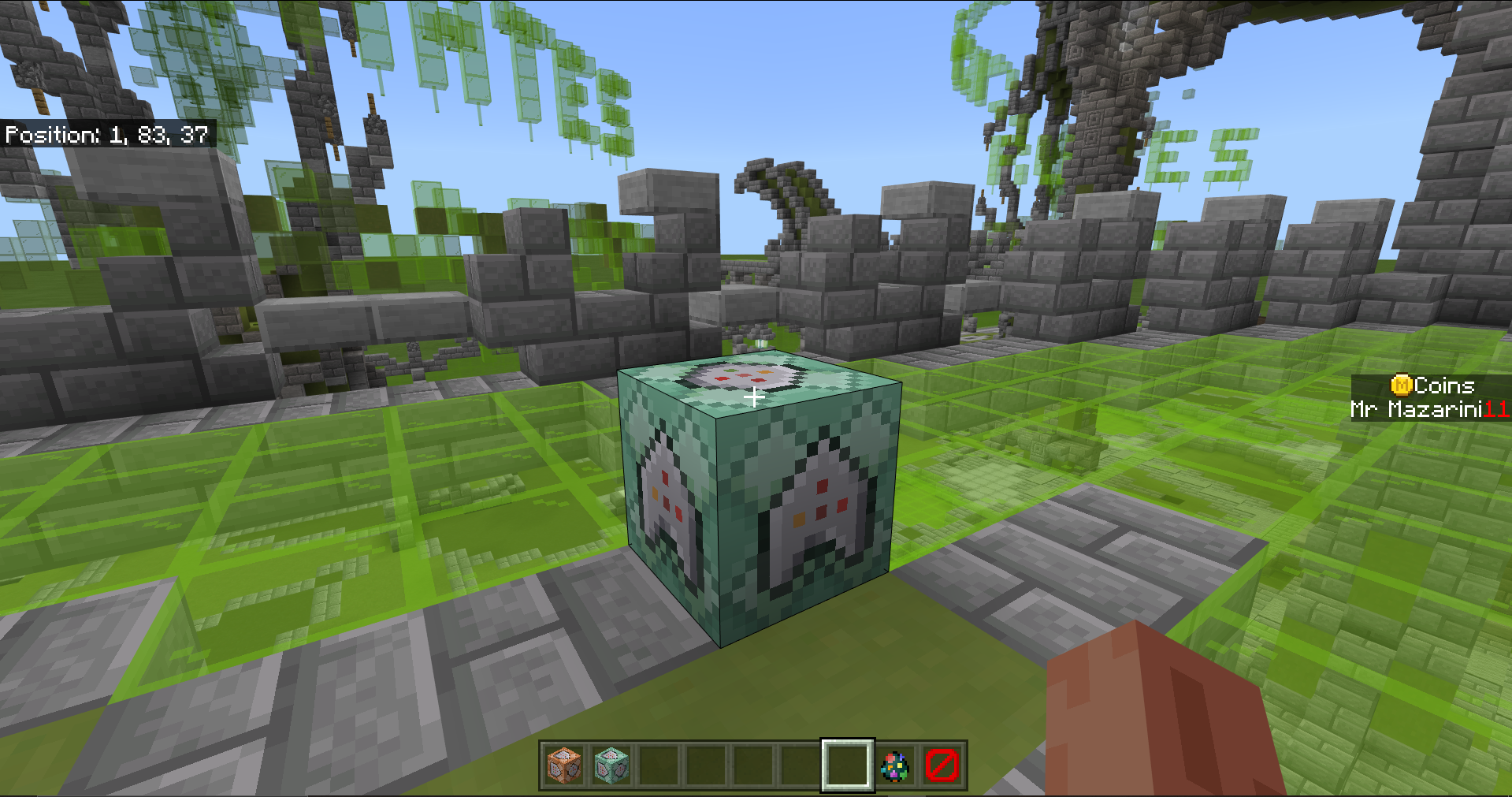
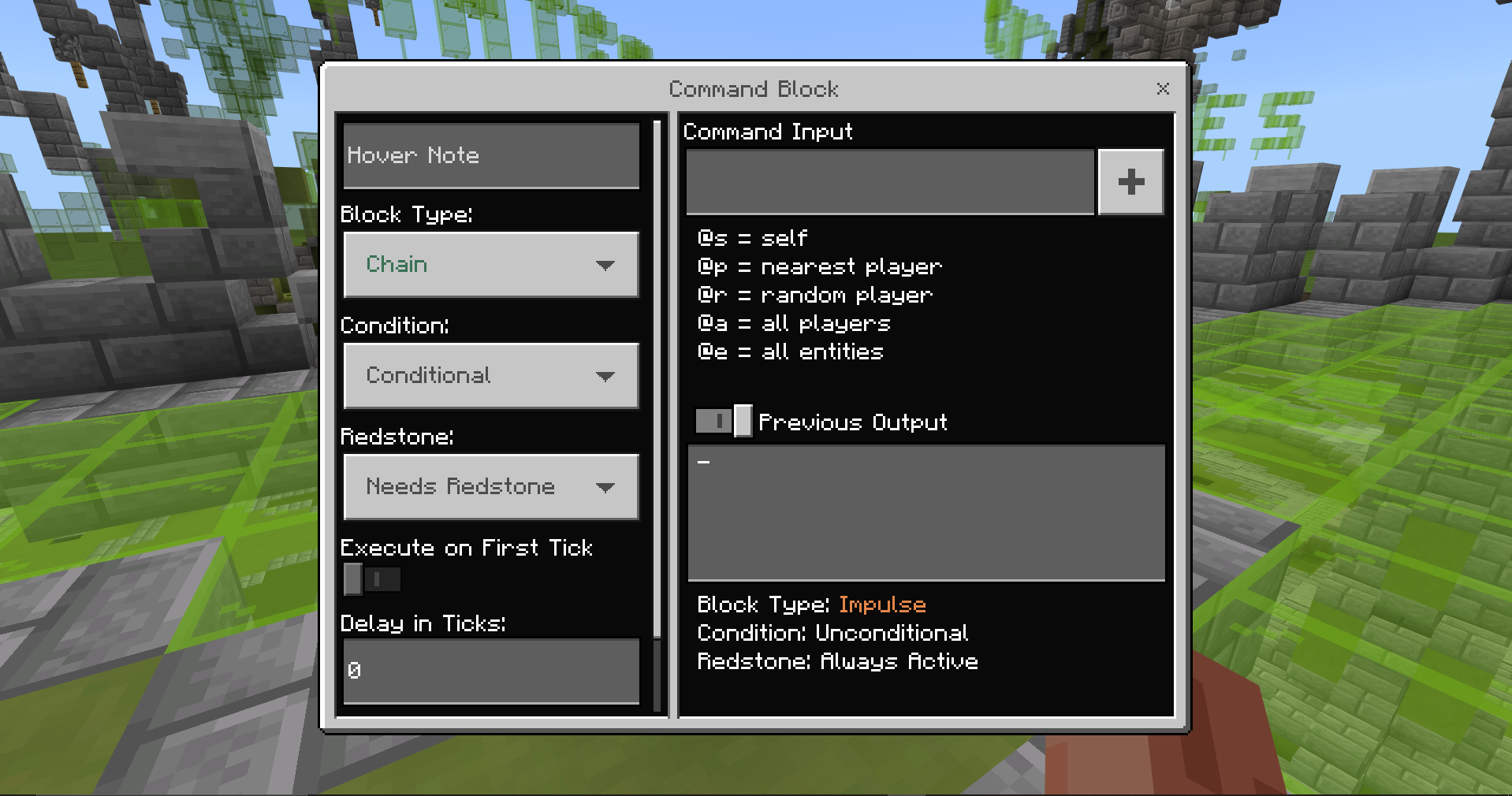
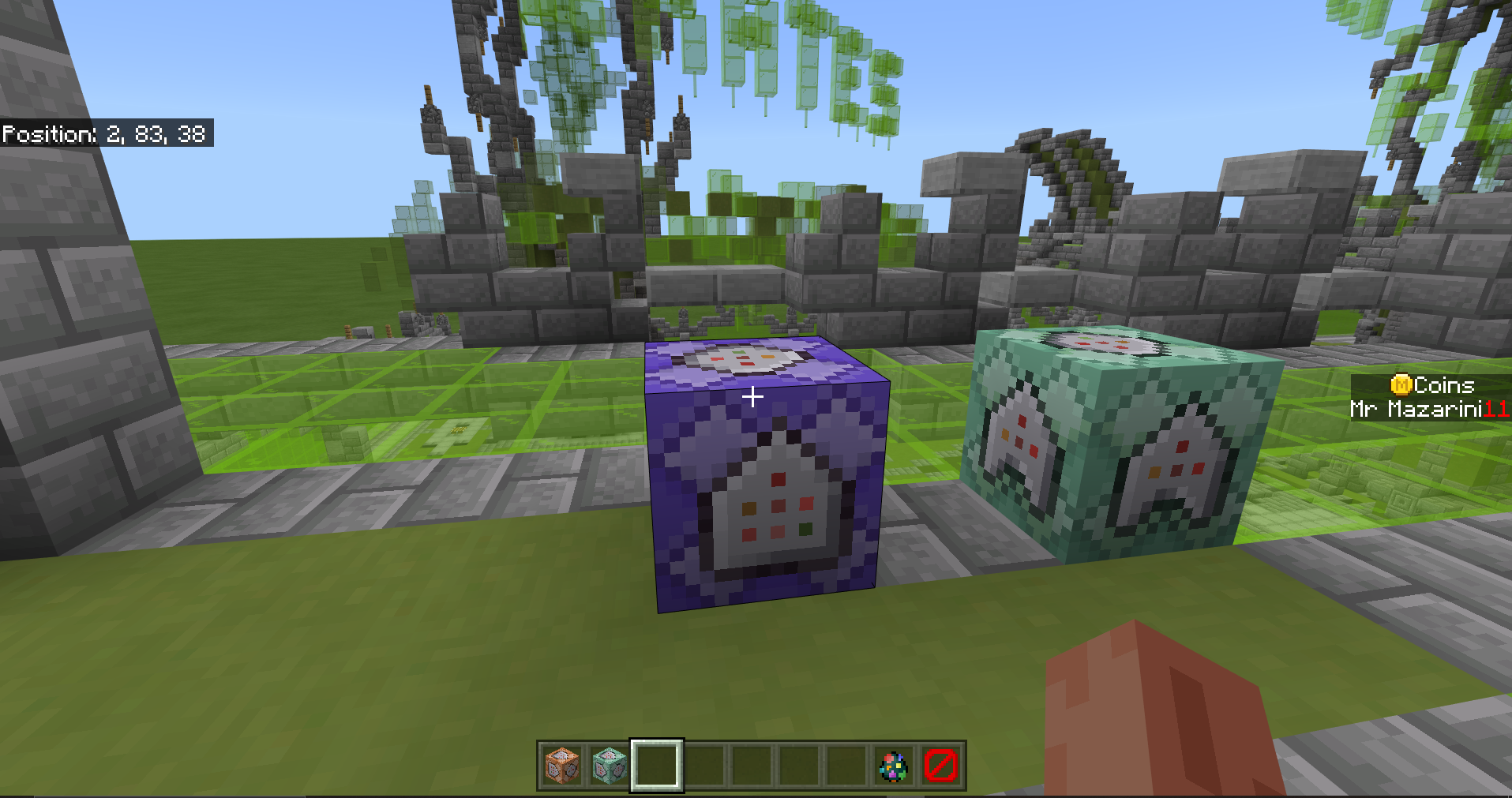
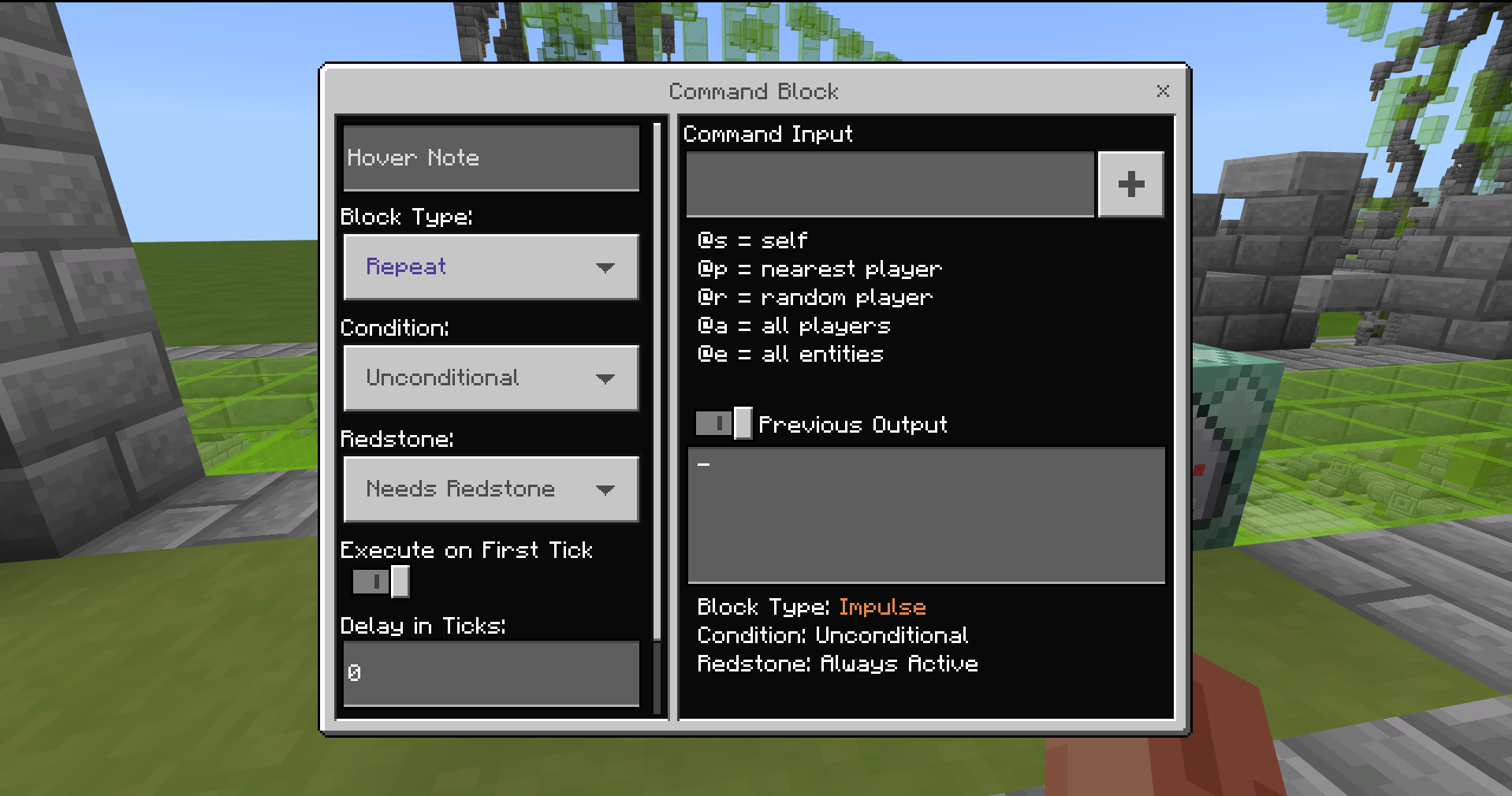
When I try to change a command block's settings, (like from 'impulse' to 'repeat' or 'unconditional' to 'conditional', etc.) it will not change its behaviour. It will actually change graphically when I close out of the command block, but when I go to its settings, it will say it's settings are on 'impulse' 'unconditional' and 'always active', and it will still act like it's on those settings as well, meaning that the command block also does not work as I want it. Here are some pictures to demonstrate the issue:
As you can see the settings for the block type did not change, even with the command block still being purple, whilst acting like it is still on impulse rather than repeat
Linked Issues

Comments1
History4

Added duplicates link: MCPE-121514Command blocks won't switch modesDuplicate
Resolution: Unresolved → Duplicate

Removed duplicates link: MCPE-121514Command blocks won't switch modesDuplicate
Added duplicates link: MCPE-71326Command Block not updating unless messed with or powered.Community Consensus
ARISA_NO_DUPLICATE_MESSAGE