 MCPE-27
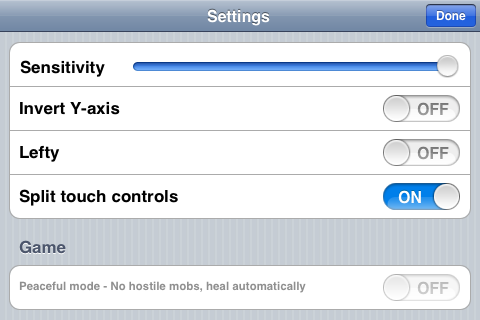
Not possible to activate peaceful mode
It is not possible to activate peaceful mode.
Linked Issues
Attachments2
Comments4
History11
Added is duplicated by link: MCPE-26unable to select peaceful on iphone 3gsDuplicate
Added Assignee:  [Mojang] Aron Nieminen
Resolution: Unresolved → Fixed
Added affects versions: 0.5.0
Added is duplicated by link: MCPE-467Peaceful mode gone!Duplicate
Removed labels: bugs
Since can't see the option am not certain it is the cause in this case. I noticed the same thing where the "peaceful mode" option is greyed out when you turn on the "lower graphics quality" option. When the "lower graphics quality" is off then you can change your option for the peaceful mode.
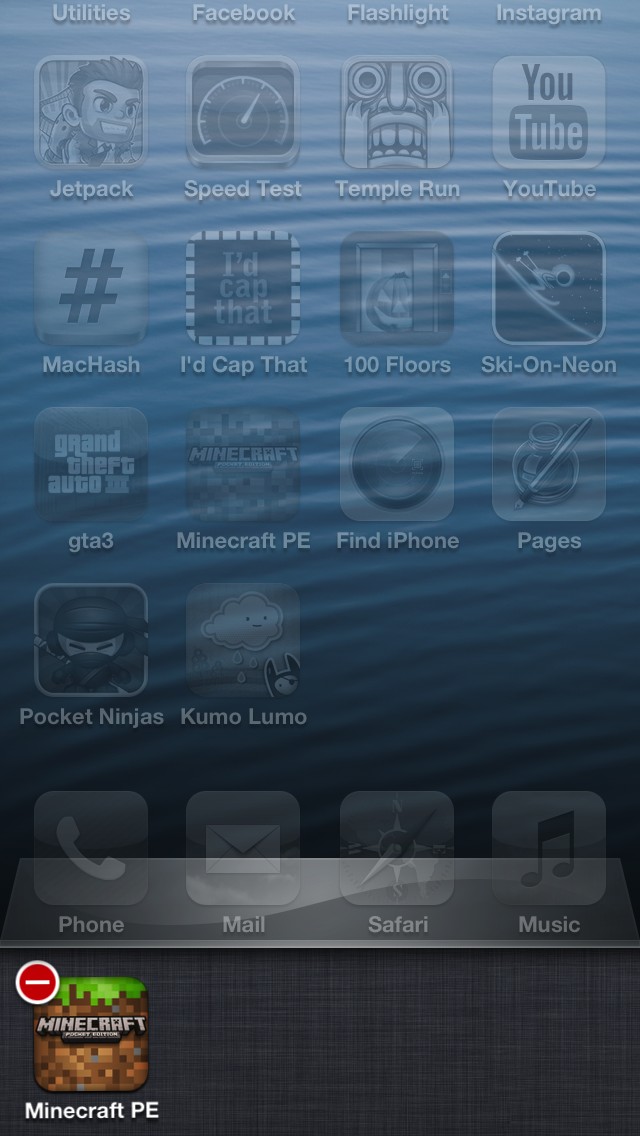
Try quiting the app. To do this following:
1. Double tap home button to bring up the task bar.
2. Hold one of the apps until they start shaking with do not enter signs in the top left coner. (See the attachment for a picture.)
3. Click the red do not enter signs to quit the app.
4. Trying seleting peaceful mode now.
Hope this helped.
Tip: Doing this often will greatly improve battery life.
The turning off "Lower graphics quality" worked for me on Ipod touch!!! It was confusing because I hadn't purposely selected the lower setting.
This is a problem with the settings framework. For now, solved by just not disabling toggle buttons at all on iOS.