 BDS-8965
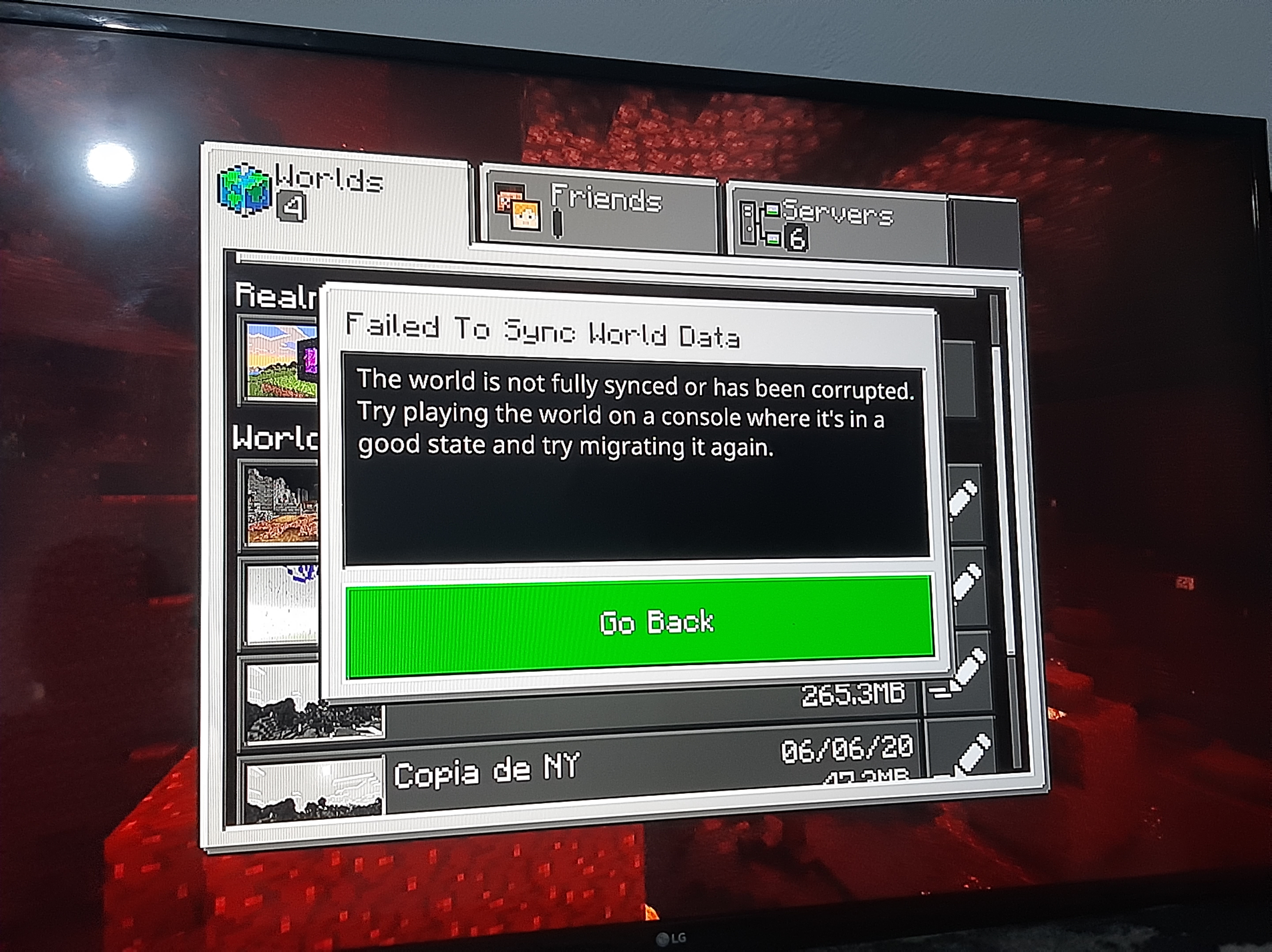
my world is corrupt
A few days ago my console was updated and normal, the games had to resynchronize the data and I had no major problem with any game, except minecraft, all my worlds appear as "corrupt" as the image, I can not enter or copy them or even delete them, I don't know why that happens if I didn't hack the game or put anything beyond it, they just don't load my worlds, I hope they solve this for me because it's not my console or mine, it's the game, thanks
Environment
Xbox one
Attachments1

Comments1
History1

Resolution: Unresolved → Invalid
Thank you for your report!
This project is for the Bedrock Dedicated Server software only. Please head over to the correct project (links below) and create a new report for your bug. Please don't forget to search for an existing report matching yours in the appropriate project before raising a new one.
To ensure your report has all the information we need, please have a read through Guide: Writing Helpful Bug Reports for Minecraft and remember to include steps to reproduce the problem.
– Minecraft: Bedrock Edition — Gear VR, iOS, Android, Windows 10 (from the Windows store), Xbox One, Windows 10 Mobile, Fire TV, Nintendo Switch, and PS4
– Minecraft: Java Edition — Windows, Mac, and Linux
– Minecraft Launcher — Bugs about the Minecraft Launcher specifically
– Minecraft Earth — AR Compatible Devices
– Minecraft Dungeons — Action-adventure title set in the Minecraft universe
Quick Links:
📓 Issue Guidelines – 💬 Community Support – 📧 Customer Support – ✍️ Feedback and Suggestions – 📖 BDS Wiki – 📖 FAQs