 BDS-4490
Cannot run any operator commands
I have set myself as an operator as described in the how_to document and set default-player-permission-level to operator in my settings, but I am unable to execute any operator commands.
// server output
[2020-04-20 15:04:24 INFO] Starting Server
[2020-04-20 15:04:24 INFO] Version 1.14.60.5
[2020-04-20 15:04:24 INFO] Session ID a25d99b3-c111-45cd-ac30-99ad7bb76c38
[2020-04-20 15:04:24 INFO] Level Name: World1
[2020-04-20 15:04:24 INFO] Game mode: 0 Survival
[2020-04-20 15:04:24 INFO] Difficulty: 2 NORMAL
[2020-04-20 15:04:24 INFO] opening worlds/World1/db
[2020-04-20 15:04:25 INFO] IPv4 supported, port: 19132
[2020-04-20 15:04:25 INFO] IPv6 supported, port: 19133
[2020-04-20 15:04:25 INFO] IPv4 supported, port: 64303
[2020-04-20 15:04:25 INFO] IPv6 supported, port: 64304
[2020-04-20 15:04:25 INFO] Server started.
[2020-04-20 15:04:50 INFO] Player connected: Sikred, xuid: 2533274862820353
// permissions.json
[
    {
        "permission": "operator",
        "xuid": "2533274862820353"
    }
]
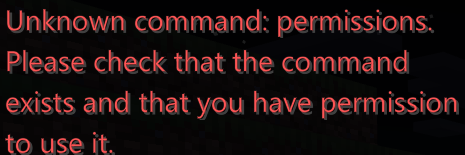
I have tried /op, /permissions list, and /stop as described in bedrock_server_how_to.html but receive the message:
Unknown command: <permissions/op>. Please check that the command exists and that you have permission to use it.
I've tried settings permissions.json and the server settings both before and after a new world is created.
Environment
Windows 10
Attachments1

Comments3
History1

Resolution: Unresolved → Cannot Reproduce
The commands listed in the how to are console commands only.
Commands available to operators inside the game are different.
Doh. I don't see anything about how to access the console in the documentation.
EDIT: And now I realize you just type into the server window. I was thrown by the lack of a prompt. I can close this issue if you'd like.
Thanks Rick.
Enjoy the new server