As far as I know Xbox Live gamertags cannot have spaces in them, thats why you're seeing that error.
Does your gamertag have a space in it? You could try encasing your gamertag in double quotes if it does, otherwise you can op yourself using the op.json file.
I've not received a response in a couple of days so I'm going to ask that this be closed as Invalid as it is more of a tech support issue than a bug report.
I did some testing post your report and can confirm you have a few options here:
Use the command (including quotes): op "jake fire7070"
OP using your XUID instead, to do this, log into the server via Minecraft, this should present in the console as "[2020-04-01 15:38:44 INFO] Player connected: IonicEcko, xuid: 25#######74. You can then use that XUID in the permissions.json to OP yourself.
Please note though you must be logged into the game before running the command, you cannot OP a player thats not online (and in your screenshot you weren't).
If you still need assistance I would highly recommend the Official Community Support Discord server which can be joined here.
 BDS-3822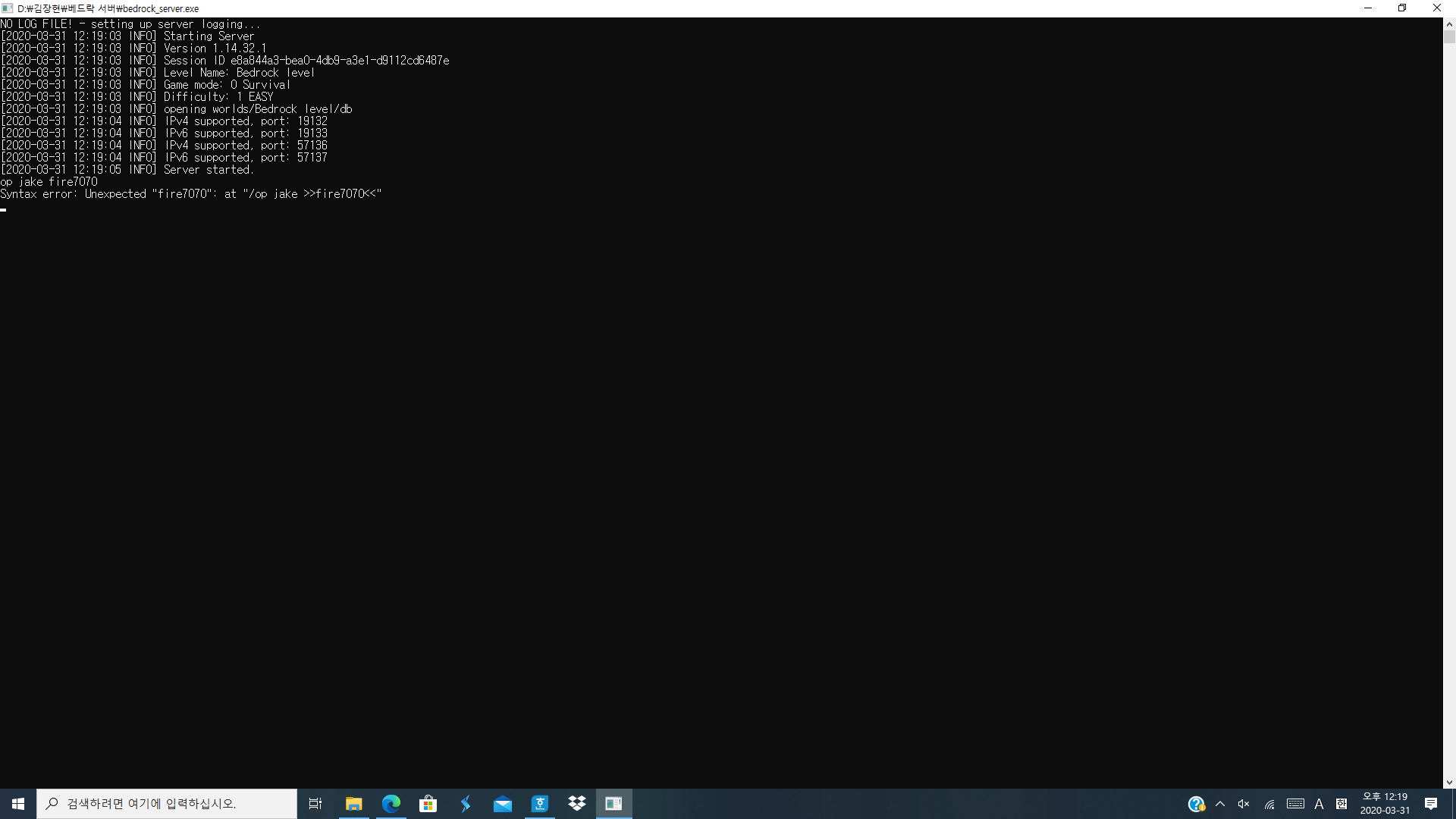


Hi,
As far as I know Xbox Live gamertags cannot have spaces in them, thats why you're seeing that error.
Does your gamertag have a space in it? You could try encasing your gamertag in double quotes if it does, otherwise you can op yourself using the op.json file.
Ionic
Hi,
I've not received a response in a couple of days so I'm going to ask that this be closed as Invalid as it is more of a tech support issue than a bug report.
I did some testing post your report and can confirm you have a few options here:
Please note though you must be logged into the game before running the command, you cannot OP a player thats not online (and in your screenshot you weren't).
If you still need assistance I would highly recommend the Official Community Support Discord server which can be joined here.
Ionic