 BDS-18694
Marketplace texture pack corruption persists after reinstalling Minecraft
Steps to reproduce
- Download a Marketplace texture pack (attachments show Jicklus Textures)
- Create a world with the Marketplace texture pack activated (textures are displaying correctly)
- After world loads, close the game
- Open the game again and a world with the same texture activated
- Expected results: Textures will display correctly when opening the game a second time
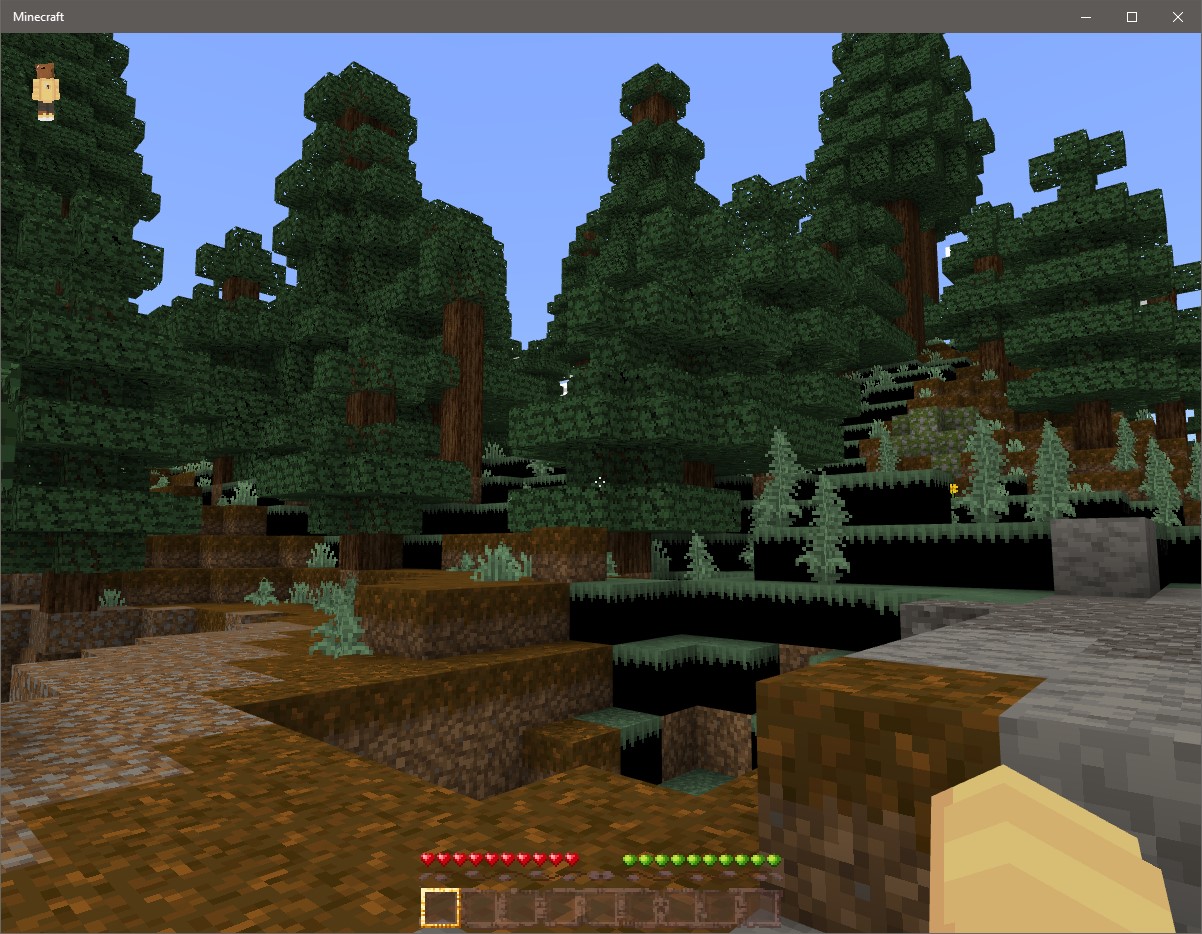
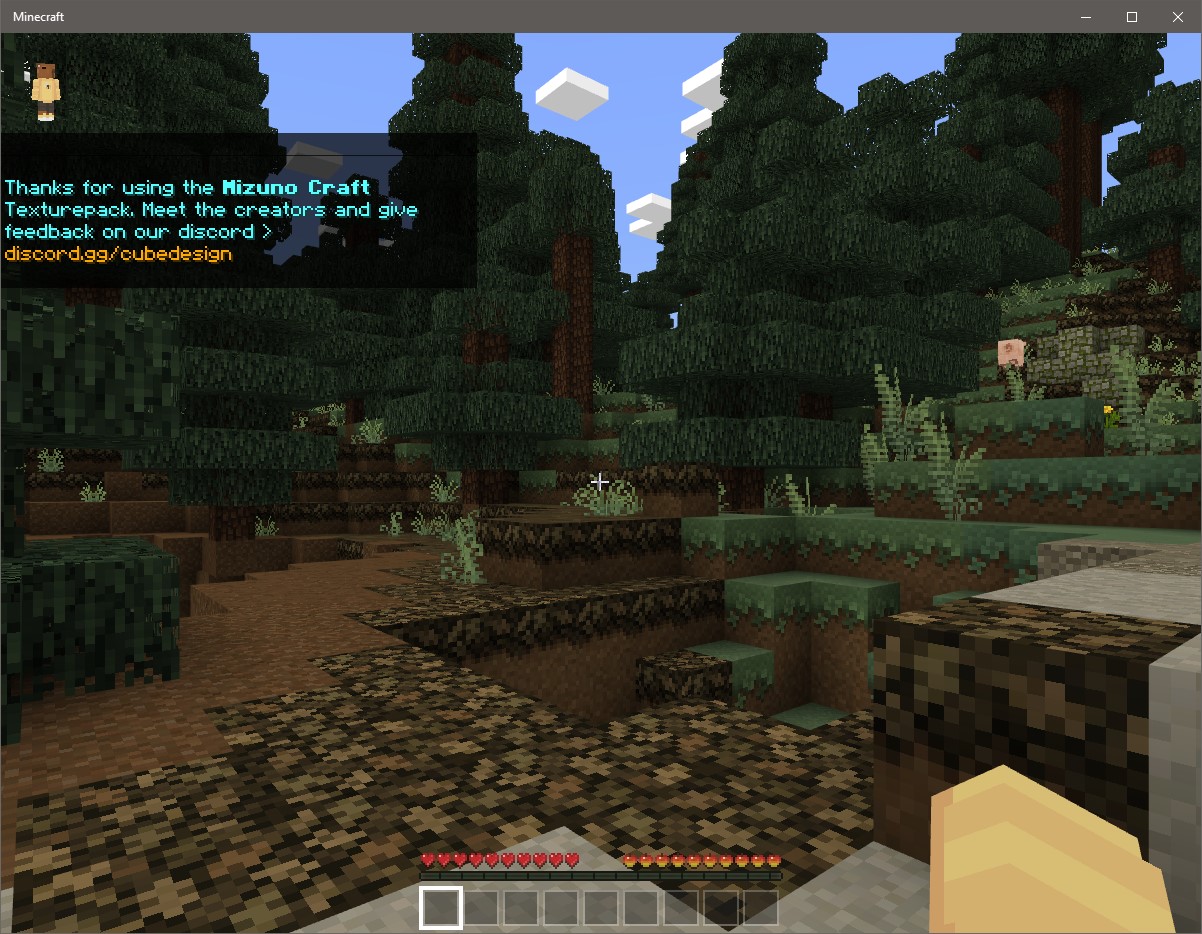
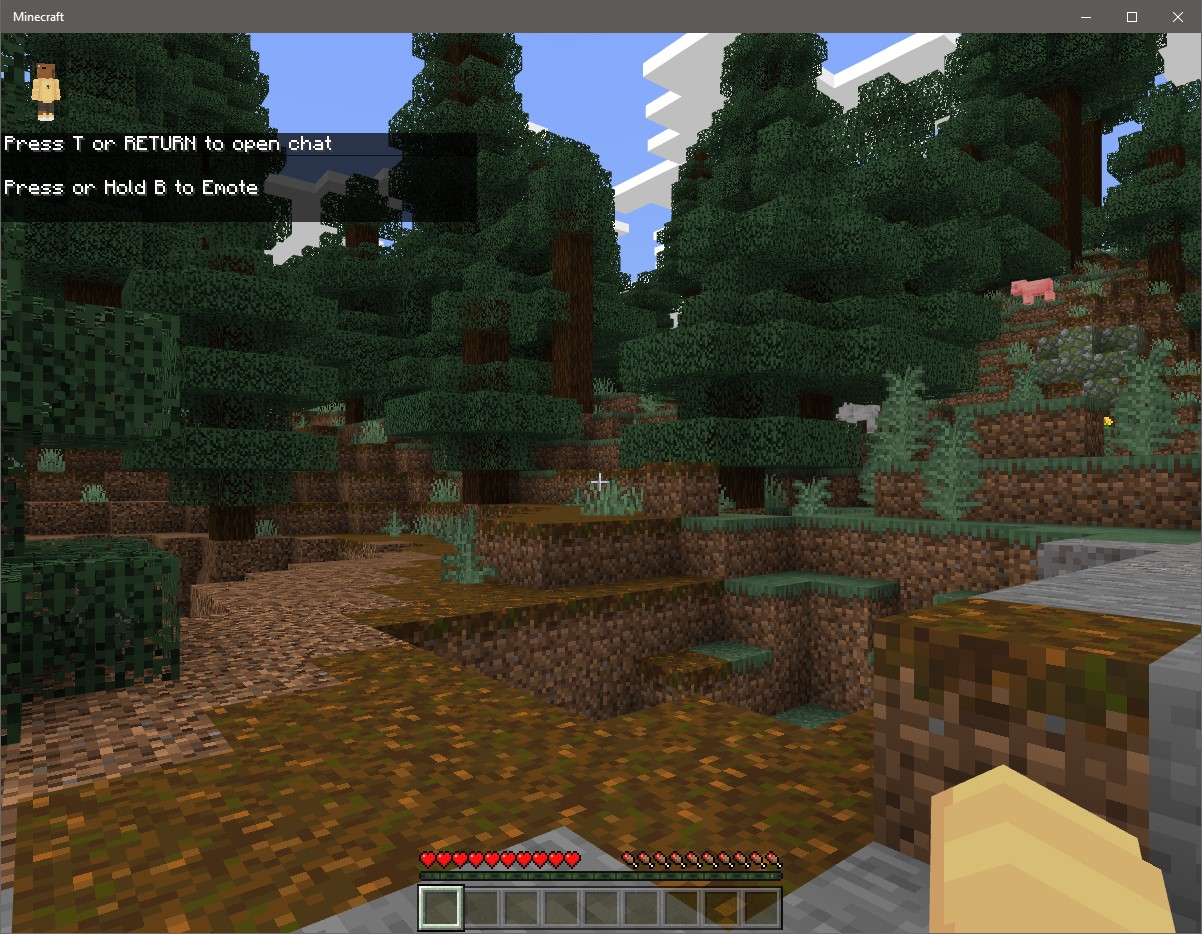
- Actual results: Dirt texture is missing from the side of grass blocks. Restarting the game, restarting the PC, uninstalling Minecraft, or deleting the texture pack from the Storage menu and clearing Marketplace cache does not fix the issue. Corrupted textures exist in all worlds that use the texture pack. Other Marketplace textures and vanilla textures are displaying properly.
Images show Vanilla texture working correctly, an uncorrupted Marketplace texturepack working correctly (Mizuno 16 Craft), and the corrupted Jicklus texture pack.
Environment
OS: Windows 10 22H2
Linked Issues
Attachments3

Comments2
History2

Added duplicates link: MCPE-174752Marketplace texture pack corruption persists after reinstalling MinecraftInvalid
Resolution: Unresolved → Duplicate
I'm sorry it seems I've posted this under the wrong project. I'll create an issue in for MCPE/
ARISA_NO_DUPE_MSG