 BDS-18649
Command in documentation has dashes that don't work
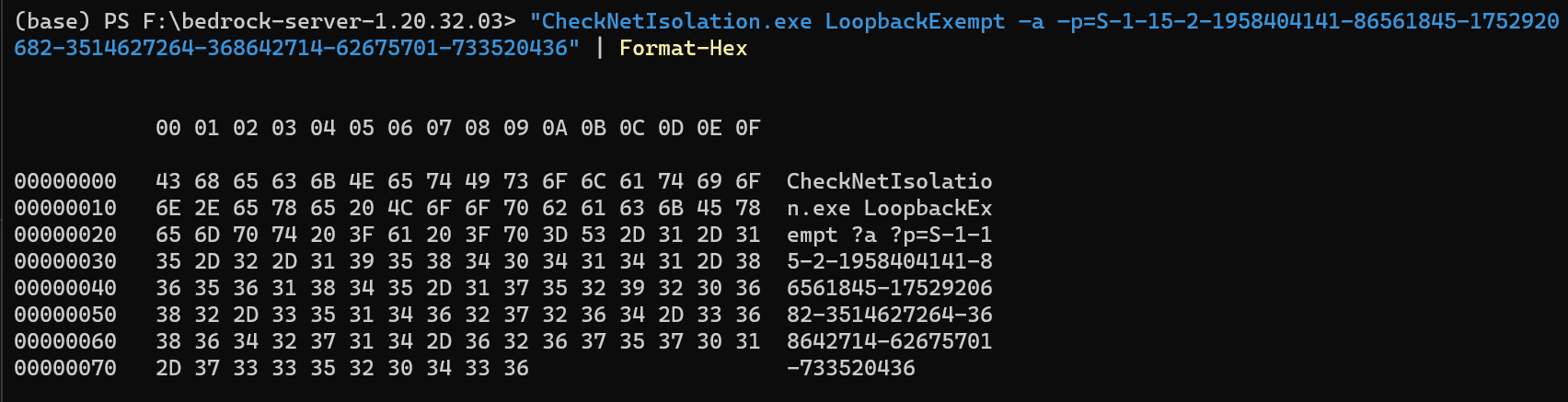
The command `CheckNetIsolation.exe LoopbackExempt –a –p=S-1-15-2-1958404141-86561845-1752920682-3514627264-368642714-62675701-733520436` in the file "bedrock_server_how_to.html" has dashes that don't work. The working command is `CheckNetIsolation LoopbackExempt -a -p=S-1-15-2-1958404141-86561845-1752920682-3514627264-368642714-62675701-733520436`.
Environment
Windows 11
Attachments1

Comments3
History5
Resolution: Unresolved → Awaiting Response

Resolution: Awaiting Response → Unresolved
Confirmation Status: Unconfirmed → Confirmed

Resolution: Unresolved → Fixed
Hi
Using command from documentation results in error?
This ticket will automatically reopen when you reply.
Yes. When I have copied the command into a CMD terminal and have run it, it resulted in an error.
When I have copied the command into a Powershell command, the dashes were missing.
I hope that helps.
I have provided the corrected command in the initial description.
Oh my god, thank you for catching this.
To clarify the issue for the ticket: The documentation that is shipping with the server is using an invalid/multibyte character for the dash in the -a and -p parameters for this command. It likely got generated by a tool autocorrecting the dash to a stylized one, such as how MS Word will swap " for fancy quotes.
The fix is simple. The documentation just needs those two characters retyped with ascii compliant dashes instead of these multibyte dashes.